Clients don't call the firm they can't find.
People will drive across a city for the right lawyer — but they still start with the Google Maps 3-pack, and that pack changes completely depending on the practice area and the exact coordinate someone is searching from. SeoMap simulates that search across a full metro-sized grid, keyword by practice area, and shows exactly where the firm holds the pack and where a competitor with more reviews takes it instead.
Built around what you actually do all day.
- 01
A wider grid for a wider catchment
Legal search doesn't stay in a five-minute walk radius the way a coffee shop does — a firm handling family law or personal injury draws clients from across a metro. Grid spacing and size (5×5 up to 15×15) are fully configurable, so the scan matches how far the firm's actual clients travel instead of a default that's built for retail.
- 02
One scan per practice area
"Fachanwalt Familienrecht" and "Anwalt Verkehrsrecht" return different map packs at the same office address. Run a separate scan per practice area — the ones the firm actually wants new clients for — rather than one generic "lawyer near me" scan that hides which service line is actually winning.
- 03
Reviews are the deciding factor, not just position
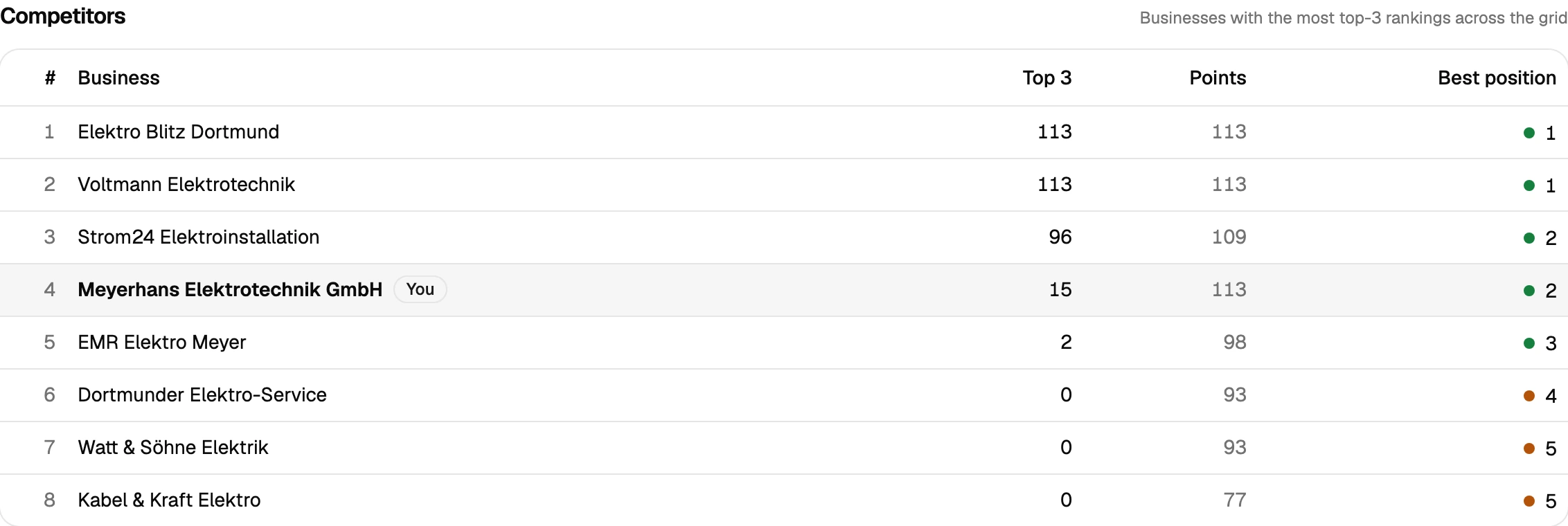
Clicking any grid point shows the full top 20 at that coordinate, including review count and rating — not just rank. In a market where trust decides which of three similarly-positioned firms gets the call, that's the competitive read that matters more than the position number alone.
- 04
Multi-office firms without the name confusion
Every project is matched by Google CID/Place-ID, not by firm name — so "Kanzlei Müller" in one city doesn't get mixed up with an unrelated firm of the same name three towns over, and a firm's own branch offices stay cleanly separated from each other.
- 05
Proof of work for a client that expects it
Law firm marketing budgets are typically larger and more scrutinised than most local businesses'. Scan comparison lays two grids side by side with the delta per point — improved, dropped, new, lost — and a public share link puts that proof directly in front of the firm's marketing partner without a login.
Why a single “we rank #3” isn’t enough for a law firm
A law firm’s search visibility is unusually easy to misjudge from a single ranking check, because two things move independently: the coordinate the client is searching from, and the exact practice area they typed. A firm can hold the map pack solidly around its own office for “Anwalt” and be nowhere for “Fachanwalt Arbeitsrecht” three kilometres away — or the reverse, depending on which competitor is strongest in which niche. Checking one keyword from one location and calling it “our ranking” misses both axes.
A grid scan fixes the first problem directly — it runs the search from every point in a configurable grid across the metro, sized to match how far the firm’s actual clients are willing to travel, which for legal services is usually much further than for a retail business. Running a separate scan per practice area fixes the second: it shows which service lines the firm already dominates and which ones a competitor firm is quietly winning, complete with that competitor’s review count and rating at each point, not just their rank.
That combination — wide grid, per-practice-area keywords, and review context instead of just position — is what turns a scan into something a firm’s managing partner will actually act on, and something an agency can put in front of that partner as proof the retainer is working, not just an updated number in a report.
Prepare your measurement
Questions we actually get asked.
Legal keywords are expensive and competitive — is grid tracking different from a normal rank tracker?
A standard rank tracker gives you one position for one search. A grid scan runs that same search from dozens of coordinates across the metro at once, which is what actually matters for a firm whose clients search from all over a city, not just from outside its front door.
Can I see how many reviews competing firms have at each point?
Yes — clicking any grid point opens the full top 20 results at that coordinate, including each firm's rating and review count, plus whether they're running ads there.
What if the firm has more than one office?
Each office is its own project, matched by Google CID/Place-ID rather than name, so branch offices — or two unrelated firms that happen to share a name — never get mixed up.
How wide should the grid be for a law firm?
Wider than most local businesses. Start with a larger point spacing across a 9×9 or 13×13 grid to reflect that legal clients travel further than they would for, say, a restaurant, then narrow it once you see where visibility actually falls off.
Is there a trial before committing a client's marketing budget?
Yes — 500 free credits on signup, no credit card. Enough to run a real scan on the firm's top practice area before proposing a plan.
Can I pull the data into another tool, or do I need to read every scan myself?
Both are covered. A read-only REST API ships with every plan — self-managed, revocable keys, endpoints for projects, scans and individual grid points — so you can wire results into Zapier, n8n or your own reporting. Every completed scan also gets a short AI-generated analysis paragraph automatically, on top of the existing rule-based breakdown, so you're not staring at a raw grid trying to figure out what changed.
Lay the map over your service area.
The first scan takes under three minutes. After that you’ll see your visibility the way your customers do.